

Hello everyone, I'm Achao! Today I'd like to introduce an open-source project that really caught my eye—CapAs a tech blogger who frequently needs to record screen demos, I've found Cap to be a real gem of a tool—it perfectly solves all my screen recording pain points.
Project Overview
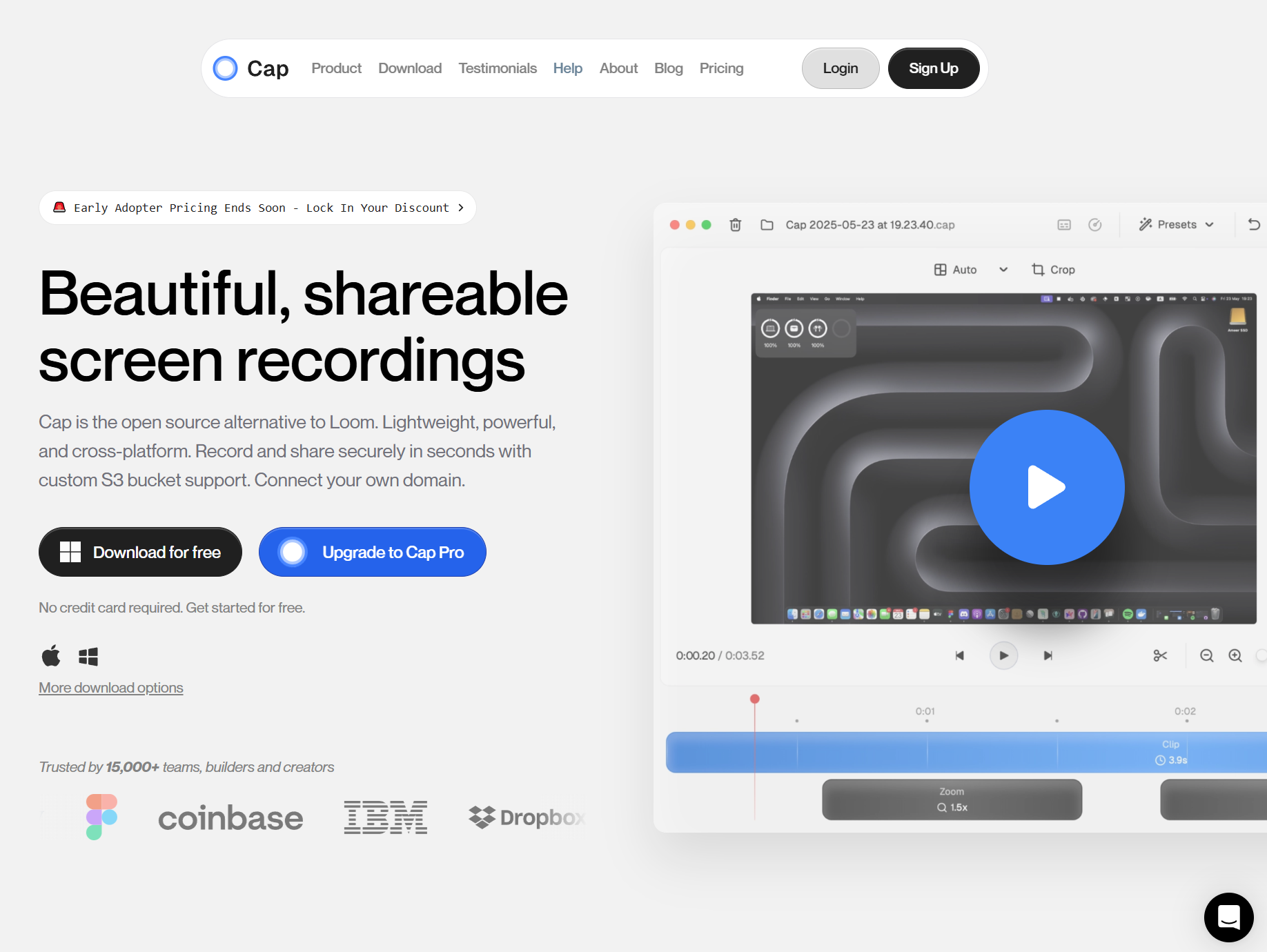
Cap is an open-source video messaging tool that can be considered an open-source alternative to the well-known screen recording tool Loom. Its core philosophy is to make screen recordingSimple, fast, and aesthetically pleasingImagine this: with just a few clicks, you can record polished screen videos and instantly share them with others—that's the experience Cap delivers.
Key Feature Highlights
🎥 One-tap recording, smooth experience
The most distinctive feature of Cap isMinimalist operationTraditional screen recording requires multiple steps—recording, uploading, transcoding—to generate a shareable link. Cap streamlines this process to its absolute simplest. One-tap recording instantly delivers a shareable link, making the entire experience surprisingly smooth.
🌐 Cross-platform support
Cap currently supports:
- macOSProvide native clients
- Web versionUse directly in your browser
- Windows and Linux versions:Under active development
This cross-platform design ensures that users across different operating systems can enjoy the same premium experience.
🎨 Advanced Editing Features
Cap is not just a recording tool; it also features built-in basic editing capabilities. You can:
- Edit video clips
- Add text annotation
- Adjust video quality
- Quick Export & Share
🔗 Instant Share
After recording is complete, Cap will instantly generate a shareable link that you can copy and send directly to colleagues or friends. This immediacy proves especially useful for remote collaboration.
Fits the crowd
Based on my experience, Cap is particularly well-suited for the following types of users:
1. Remote workers
If you frequently need to demonstrate operational steps to team members, Cap can significantly boost communication efficiency. No more lengthy written instructions—a short video can explain everything clearly.
2. Educators
Teachers can use Cap to record instructional videos, and students can also use it to submit assignment demonstrations. Screen recording is in high demand in educational settings, and Cap's simplicity makes it particularly well-suited for educational use.
3. Developer Community
As an open-source project, Cap is exceptionally developer-friendly. You can:
- Use existing functionality directly
- Contributions to Participating Projects
- Customize features based on requirements
4. Content Creator
Bloggers, YouTubers, and other creators can use Cap to quickly record operation demos, boosting content production efficiency.
Technical Advantages
From a technical standpoint, Cap has several commendable aspects:
Modern Technology Stack
Cap is built using the latest front-end technology stack, which means:
- Outstanding performance
- User experience is smooth
- Easy to maintain and extend
Open-Source Advantages
As an open-source project, Cap features:
- Totally freeNo subscription required
- transparent and trustworthyCode is open-source, with security guaranteed.
- community-drivenContinuous improvement, with features constantly expanding.
User Experience Sharing
As an actual user, I'd like to share my genuine experience:
Ease of Use⭐️⭐️☆☆☆ (Very Simple) Cap's interface design is extremely intuitive, allowing even less tech-savvy users to get started quickly. I successfully recorded and shared my first video on my very first try.
Recording quality⭐️⭐️⭐️⭐☆ (Excellent) The video has excellent clarity, and the file size is well-controlled, so it won't take up too much storage space.
Stability⭐️⭐️⭐️⭐☆ (Very stable) During my usage, I haven't encountered any crashes or lag.
Comparison with Loom
Although Cap is positioned as a replacement for Loom, it has its own unique features:
| characterization | Cap | Loom |
|---|---|---|
| prices | Totally free | Free and paid versions are available. |
| expand one's financial resources | ✅ Yes | ❌ No |
| cross-platform | ✅ Full support | ✅ Support |
| Customize | ✅ Can be modified independently | ❌ Limited |
summarize
Cap, as an emerging open-source screen recording tool, has demonstrated tremendous potential. Its minimalist design, powerful features, and open-source nature make it a breath of fresh air in the screen recording landscape.
Summary of Advantages::
- 🆓 Completely free, open-source and transparent
- ⚡ Simple operation, one-click recording
- 🌍 Cross-platform support
- 🎨 Beautiful interface, smooth experience
Areas for improvement::
- Some platform versions are still under development.
- Advanced editing features are relatively simple.
If you're looking for a lightweight, easy-to-use screen recording tool, or if you're interested in open-source projects, I highly recommend giving Cap a try. It could become a valuable tool in your daily work and studies.
bywordCap, open-source, screen recording, Loom alternatives, video messaging tools, cross-platform, free
- ¥Download for freeDownload after commentDownload after login
- {{attr.name}}:
