

Hello everyone, I'm Achao! Today I'm introducing a really interesting AI tool—DayflowThis tool is nothing short of a time management ”game-changer.” It automatically tracks your screen activity, then uses AI to analyze it and generate a clear timeline report. Sounds amazing, right? Let me break down just how powerful this tool really is!
What is Dayflow?
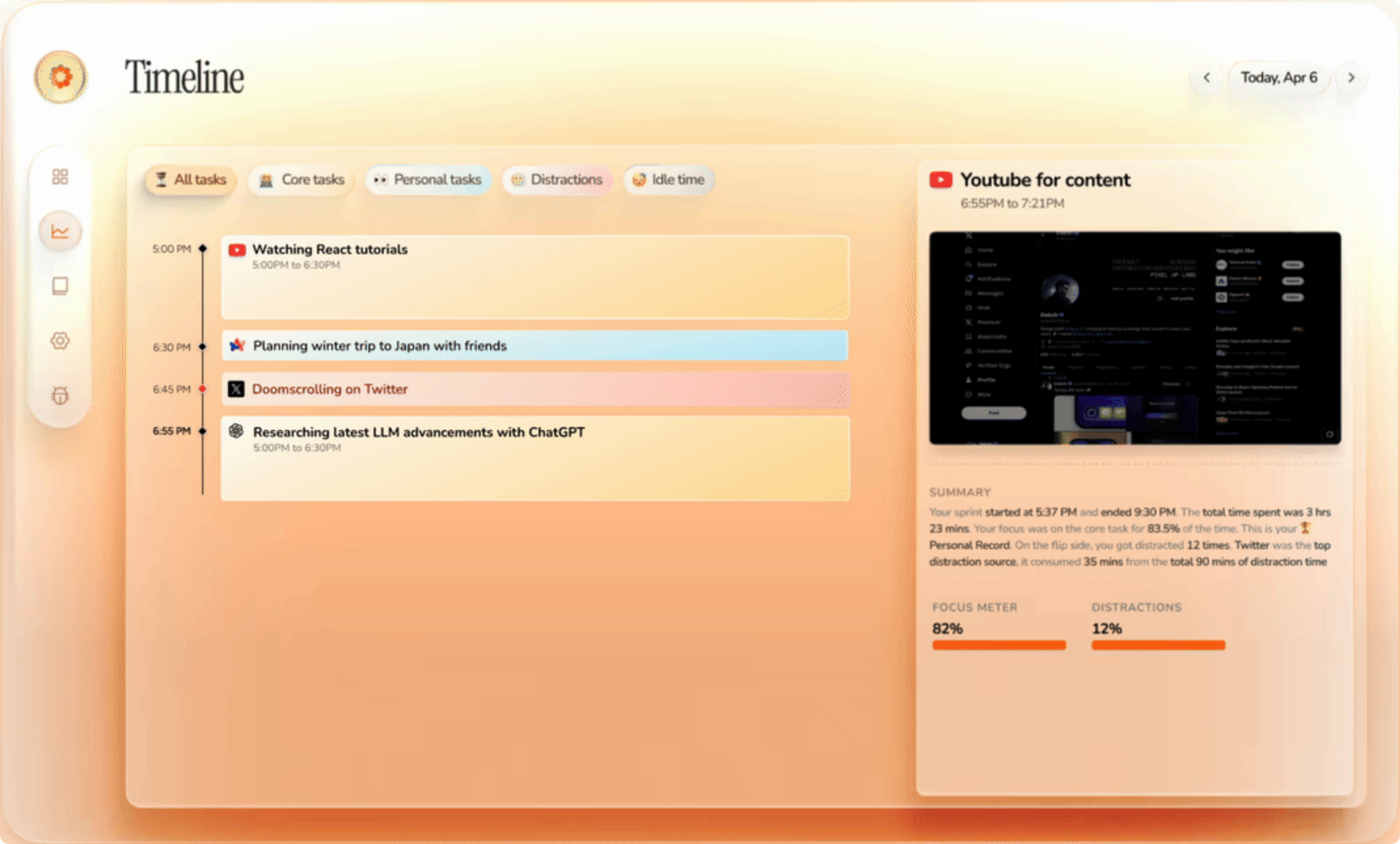
Simply put, Dayflow is aNative macOS applicationIt will1 frame per secondRecord your screen activity at high speed, thenEvery 15 minutesRun an AI analysis once to automatically generate a timeline with activity summaries.
The most surprising thing is that this tool is incredibly lightweight—the application size is only 25MB, and it uses about 100MB of memory and less than 11% CPU while running. For those who keep their computers running all day, it will barely impact system performance.
Core Functionality Highlights
🎯 Automatic Timeline Generation
Dayflow's most distinctive feature isFully automaticYou don't need to manually record what you're doing and when—it works silently in the background, generating a detailed timeline for you.
📹 Smart Screen Recording
- 1 FPS RecordingRecording only one frame per second ensures that important activities are captured without consuming excessive storage space.
- 15-minute analysis intervalUpdate your timeline promptly—don't wait until the end of the day to see the results.
- Auto CleanOld recordings will be automatically deleted after 3 days, so you don't have to worry about storage space filling up.
🎨 Intuitive visual experience
- Watching time passYou can replay your work process for the day.
- Distraction HighlightIntelligently identifies what distracts you, helping you improve your focus.
- Native SwiftUI InterfacemacOS's native, seamless experience
🔒 Privacy Protection Design
What I most appreciate about Dayflow is its privacy protection philosophy. You can choose:
- Gemini (Cloud)Use your own API key
- Local ModelUsing Ollama or LM Studio, all processing is done locally.
How It Works Explained
Dayflow's workflow is actually quite ingenious:
- CaptureRecord the screen at 1 FPS, saving a clip every 15 seconds.
- Analysis: Send the most recent recording to the AI every 15 minutes.
- GenerateAI-generated timeline cards with activity summaries
- DisplayPresent your day in the form of a visual timeline.
- CleanupAutomatically delete recordings older than 3 days.
AI Processing Workflow Comparison
Depending on your chosen AI provider, processing efficiency can vary significantly:
- Gemini ProcessOnly requires two LLM calls, making it highly efficient.
- Local Model WorkflowRequires 33+ LLM calls to handle more complex tasks.
Who is it suitable for?
💼 Knowledge Worker
If you spend all day working on a computer and want to understand how you allocate your time, Dayflow is definitely your go-to tool.
🎯 Efficiency Seeker
For those who want to boost their productivity and understand where they're wasting time.
🔒 Privacy-Sensitive Users
Users who are particularly concerned about data privacy and prefer all processing to be done locally.
🛠️ Developer
Open-source project under the MIT license, allowing developers to freely modify and customize it.
Installation and Use
Quick Start
- Download the latest version from GitHub Releases.
Dayflow.dmg - Open the app and grant permission.Screen and System Audio RecordingPermissions
- Enable Dayflow recording permissions in system settings.
Configuration Options
- AI providerSelect Gemini or local model
- Capture SettingsStart/stop capturing from the main interface
- Data LocationAll data is stored locally.
Data and Privacy
Dayflow excels in privacy protection:
Local data storage
Privacy Options
- Gemini ModeYou can configure paid services to prevent Google from using your data for training.
- Local ModeFully offline processing, data never leaves the device
Future Outlook
The Dayflow development team has even more exciting features in the pipeline:
- Customizable DashboardFeel free to ask any questions about your workday and track trends.
- Daily LogReview highlights captured by Dayflow, add reflections and notes.
- Small VLM Fine-TuningOptimize the performance of local models
summarize
As a long-time user of productivity tools, Achao finds Dayflow to be a truly innovative product. It cleverly combines screen recording with AI analysis, solving the pain point of manual logging inherent in traditional time-tracking tools.
Summary of Advantages:
- Fully automated, no manual recording required
- Privacy-Protecting Design, Data Control
- Lightweight, does not impact system performance
- Open source and transparent, MIT License
Points to note:
- Currently only supports macOS 13 and later.
- Screen recording permission is required.
- Local model processing is relatively slow.
If you're a macOS user looking to gain better insight into how you spend your time, Dayflow is definitely worth a try. It acts like a quiet assistant, silently tracking your activities while you work to help you uncover blind spots in your time management.
- ¥Download for freeDownload after commentDownload after login
- {{attr.name}}:
