

Recently, Ah Chao noticed that many iPhone apps redirect to shopping apps when you slightly shake your phone during their splash screen ads. It's really annoying because you can easily get redirected to other apps if you're not careful.
Many group members say, “You can just delete the app and reinstall it when you need it!” While this is feasible, it's also quite cumbersome—apps rely on immediacy. Moreover, deleting the app doesn't fully solve the problem; you'll still be redirected to a browser or the App Store.
A Chao now offers several methods; please use them as appropriate.
Method 1
In System Settings, locate Screen Time -> Content & Privacy Settings -> Allowed Apps & Features -> Safari Browser -> Turn it off!
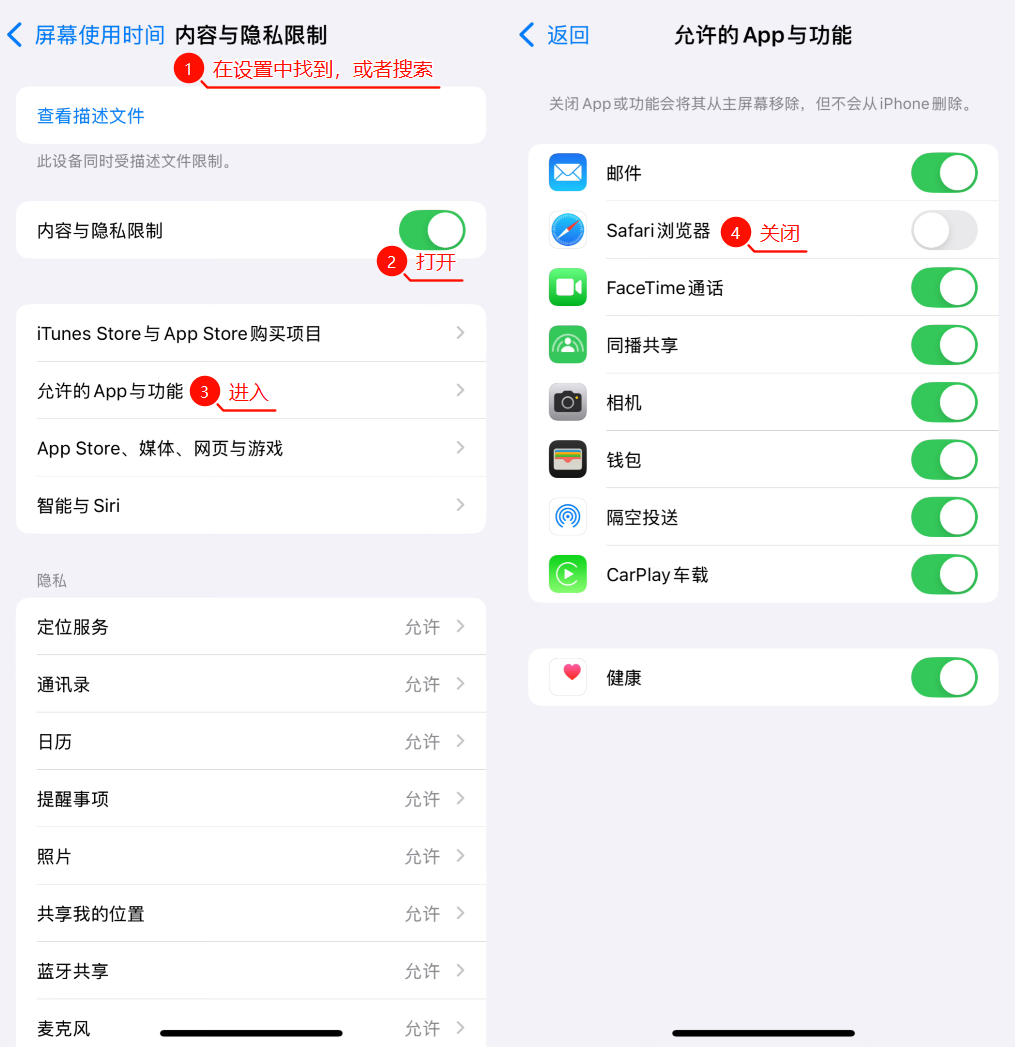
This method works quite well for Achao at the moment, and after back-and-forth testing, it does indeed prevent redirects. You might want to give it a try.
Method 2
Use US, Hong Kong, or Japanese region IDs to download apps and avoid ads, as overseas versions typically don't allow these ads to be displayed, resulting in a much cleaner experience. However, keep in mind that some apps may not have overseas versions available, so try this approach at your own discretion.

Internet-shared method
1️⃣ Switch to English mode for an absolutely clean and refreshing app interface!
2️⃣ Most apps have settings to disable splash screen ads, but they're buried deep within the settings.
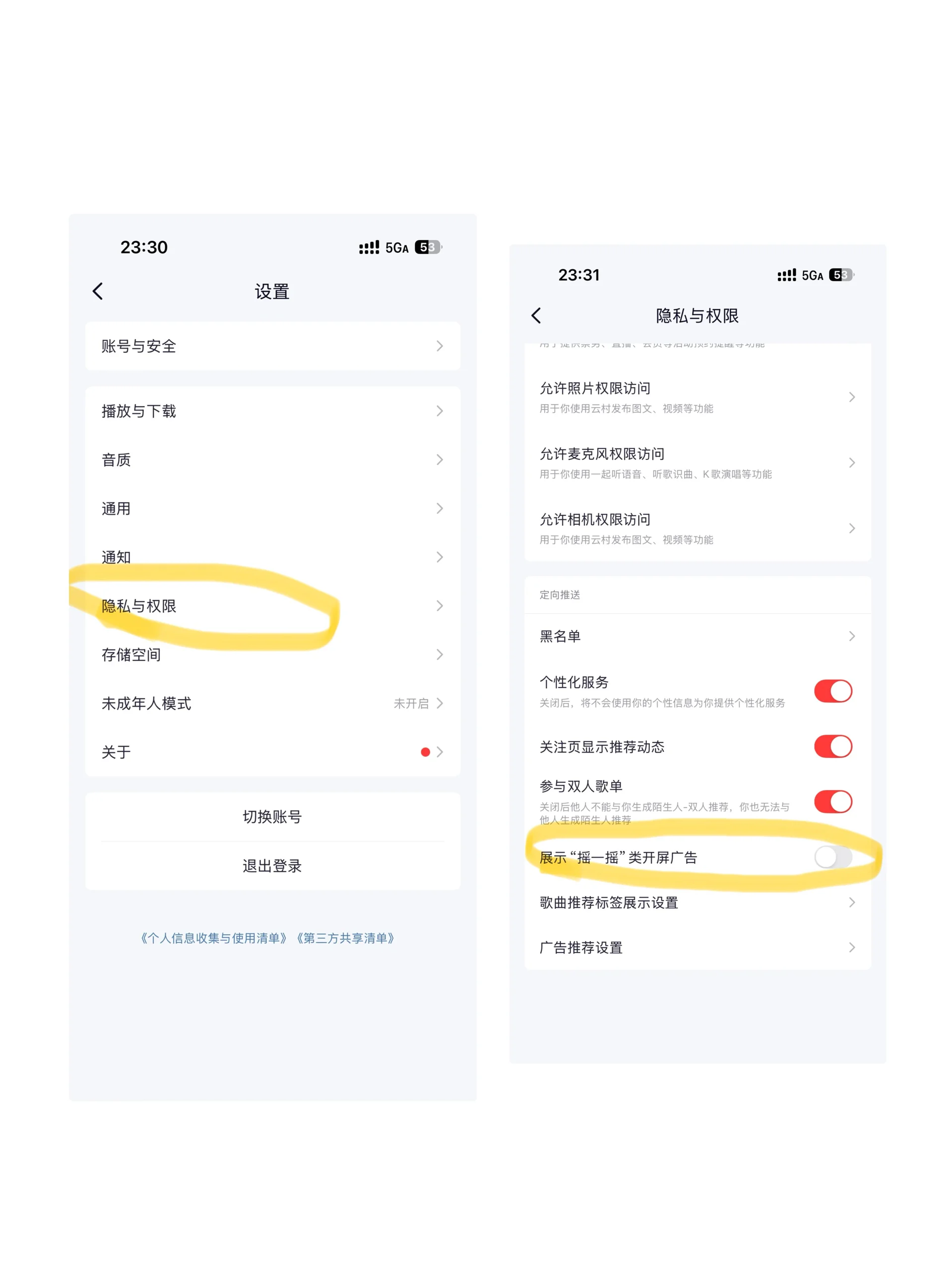
Keywords: Disable Shake to Jump on iPhone, How to Turn Off Shake on iPhone, How to Prevent Shake to Jump on iPhone, How to Disable Shake to Jump on iPhone, Disable Shake to Jump on iPhone
